
Dynamic Calculation Engine Demo: Extending the Calculation Engine with Custom Functions
Speed run

This is a follow-up to our previous demo, where we showcased the dynamic capabilities of our Calculation Engine (a Premium Rating Engine). In that post, we demonstrated how premium factors stored in a MongoDB database could be used to calculate Air Quality Index (AQI), and even identify whether Star Trek fans (Trekkies) qualify for a discount, all without changing the engine’s core code.
👉Catch up on the previous demo here
In this follow-up demo, we take the next step by introducing Custom Functions, unlocking even more flexibility in premium calculations.
Why Custom Functions?
There are cases where static values or basic formulas aren’t enough. You might need to:
Incorporate complex business logic
Pull in external data from APIs
Or perform computations that change over time
That’s where Custom Functions shine. They allow the Calculation Engine to support dynamic logic written in code, whether it's a C# function that talks to an API or a reusable utility that lives alongside the engine.
How Custom Functions Work in the Calculation Engine
There are three core steps (plus an optional prep step) for integrating a custom function.
Step 0 (Optional): Get an API Key
In this example, we calculate a premium factor based on real-time air quality by calling the AirNow API. You can request an API key at airnowapi.org. It typically takes just a few minutes.
If your custom logic is entirely self-contained (i.e., no external API calls), you can skip this step.
Step 1: Write the Custom Function
We created a C# function called AQIZipCodesFunction that:
Accepts an array of ZIP codes
Fetches AQI data from the AirNow API
Computes the average AQI across the ZIPs
Returns a premium factor based on that result
This function is dropped into the Calculation Engine under a folder named Custom, where all custom functions are compiled and referenced.
using System;
using System.Collections.Generic;
using System.Linq;
using System.Net.Http;
using System.Text.Json;

namespace HLS.MicroServices.Applications.Calculator.Core.Custom
{
    public static class AQIZipCodesFunction
    {
        // Constants and lookup table from the original AirQualityFunction
        private const string AIR_QUALITY_API_URL = "https://www.airnowapi.org/aq/forecast/zipCode/";
        private static readonly double AirQualityWeight = 0.124; // Fixed weight

        // Hard coded values for demonstratoin purpose
        private static readonly Dictionary<string, double> AirQualityFactors = new Dictionary<string, double>
        {
            { "Good", -4.376 },
            { "Moderate", 3.934 },
            { "Unhealthy for Sensitive Groups", 2.862 },
            { "Unhealthy", 0.146 },
            { "Very Unhealthy", 0.807 },
            { "Hazardous", 2.431 }
        };

        /// <summary>
        /// Computes the average AQI adjustment factor for one or more zip codes.
        /// The input is expected to be a string or a string array representing zip codes.
        /// This method calls the external Air Quality API for each zip code and averages the results.
        /// </summary>
        /// <param name="zipCodeList">A string or string[] of zip codes.</param>
        /// <returns>The average adjustment factor as a double.</returns>
        public static double GetAQIFactor(object AQIZipCodes)
        {
            // Convert input to a string array.

            object zipCodeList = AQIZipCodes;
            string[] zipCodes;
            if (zipCodeList is string[] array)
            {
                zipCodes = array;
            }
            else if (zipCodeList is string singleZip)
            {
                zipCodes = new[] { singleZip };
            }
            else
            {
                throw new ArgumentException("Invalid input type for AQIZipCodesFunction. Expected string or string[].");
            }

            var factors = new List<double>();

            foreach (var zip in zipCodes)
            {
                double? factor = GetAirQualityFactorForZip(zip);
                if (factor.HasValue)
                {
                    factors.Add(factor.Value);
                }
            }

            return factors.Count == 0 ? 0.0 : factors.Average();
        }

        /// <summary>
        /// Calls the external Air Quality API for a single zip code and computes the adjustment factor.
        /// </summary>
        /// <param name="zipCode">The zip code as a string.</param>
        /// <returns>The computed factor as a nullable double.</returns>
        private static double? GetAirQualityFactorForZip(string zipCode)
        {
            DateTime date = DateTime.UtcNow.AddDays(-1); // Use yesterday's date

            try
            {
                using var client = new HttpClient();
                var requestUrl = $"{AIR_QUALITY_API_URL}?format=application/json&zipCode={zipCode}&date={date:yyyy-MM-dd}&distance=25&API_KEY=<GET_AN_API_KEY>";
                var response = client.GetAsync(requestUrl).GetAwaiter().GetResult();
                response.EnsureSuccessStatusCode();

                var content = response.Content.ReadAsStringAsync().GetAwaiter().GetResult();
                var airQualityData = JsonSerializer.Deserialize<AirQualityData[]>(content, new JsonSerializerOptions
                {
                    PropertyNameCaseInsensitive = true
                });

                if (airQualityData == null || airQualityData.Length == 0)
                {
                    return null;
                }

                string categoryName = airQualityData[0].Category?.Name ?? "Unknown";

                if (!AirQualityFactors.TryGetValue(categoryName, out double adjustmentPercentage))
                {
                    return null;
                }

                double factorValue = AirQualityWeight * adjustmentPercentage;
                return factorValue;
            }
            catch (Exception)
            {
                // In production, you may want to log or handle the exception more robustly.
                return null;
            }
        }

        // Local classes for deserialization
        private class AirQualityData
        {
            public AirQualityCategory Category { get; set; }
        }

        private class AirQualityCategory
        {
            public string Name { get; set; }
        }
    }
}
Step 2: Register the Function in MongoDB
Next, we add metadata for the custom function in the hls-functions collection. This includes the function name, its parameters, and any execution context the engine should be aware of.
use("hls-calculationdb");

// Insert the new AQIZipCodes function object
db["hls-functions"].insertOne({
  name: "AQIZipCodes",
  function_id: "FN-0004",
  description: "Fetches the Air Quality Index (AQI) for given zip codes and calculates the adjustment factor",
  service_type: "AQIZipCodesFunction",
  method_name: "GetAQIFactor",
  parameters: [
    {
      name: "ZipCodeList",
      type: "object",
      min_value: null,
      max_value: null
    }
  ],
  return_type: "double",
  namespace: "Core",
  status: "Active",
  version: 1,
  effective_date: new Date(),
  replaced_date: null,
  scheduled_replacement_date: null
});
Step 3: Link It to a Formula
Finally, we update or create a formula in the premium-formulas collection. This formula will now call the custom function when premium calculations are triggered.
use("hls-calculationdb");

// Insert a new formula document
db["premium-formulas"].insertOne({
  formula_name: "Base Premium With Gender and AQI",
  formula_id: "Base-014",
  description: "Calculates the base premium based on base rate with adjustments for Gender and Air Quality.",
  expression_text: "base_rate * (1 + Gender + hls.AQIZipCodes(AQIZipCodes))",
  expression_steps: [
    { order: 1, step: "base_rate" },
    { order: 2, step: "multiply" },
    { order: 3, step: "open_parenthesis" },
    { order: 4, step: "1" },
    { order: 5, step: "plus" },
    { order: 6, step: "Gender" },
    { order: 7, step: "plus" },
    { order: 8, step: "hls.AQIZipCodes(AQIZipCodes)" },
    { order: 9, step: "close_parenthesis" }
  ],
  components: [
    { component_name: "base_rate", type: "Base Rate" },
    { component_name: "Gender", type: "Premium Factor" },
    { component_name: "hls.AQIZipCodes", type: "Premium Factor" }
  ],
  status: "Active",
  version: 1,
  effective_date: new Date(),
  replaced_date: null,
  scheduled_replacement_date: null
});
Using the Custom Function
To run a premium calculation that uses this new function, call the API endpoint:
Input
curl -X 'POST' \
  'http://localhost:5000/api/PremiumCalculator/calculate-premium' \
  -H 'accept: */*' \
  -H 'Content-Type: application/json-patch+json' \
  -d '{
  "RequestId": "123",
  "Factors": {
    "DateOfBirth": "1990-01-01",
    "Gender": "Male",
    "hls.scalar.AQIZipCodes": ["20001", "21201", "93220"]
  }
}'
Output
{
  "premium": 16.31448,
  "responseId": "64754323-8be1-4793-8ce4-6341419ebb7e",
  "requestId": "123",
  "formula": "base_rate * (1 + Gender + hls.AQIZipCodes(AQIZipCodes))",
  "formulaWithValues": "base_rate: 30 * (1 + Gender: -0.25704 + hls_AQIZipCodes: 20001, 21201, 93220: (ZipCodeList: -0.199144))",
  "formulaExpression": "30 * (1 + -0.25704 + -0.199144)"
}
Use the appropriate input format as defined in the premium-calculator collection. The engine will now evaluate the formula and execute the custom logic automatically.
What You’ll See in the Demo Video
In the accompanying video, we walk through the full process explained above:
Run a baseline test using the existing setup
Copy the
AQIZipCodesFunction.csinto theCustomfolderAdd newly created custom function metadata to the
hls-functions and premium-calculatorcollectionsRecompile and restart the API
Toward the end of the video, we also demonstrate several additional custom functions that showcase different use cases:
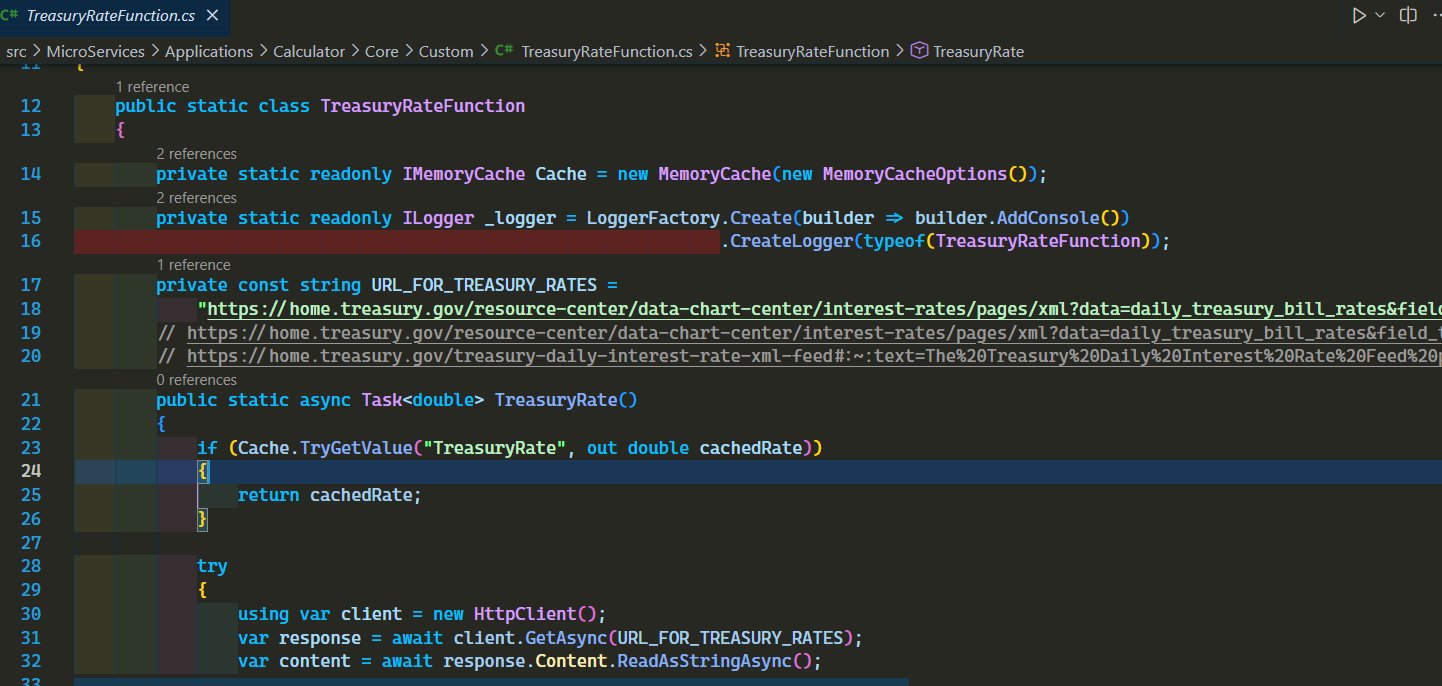
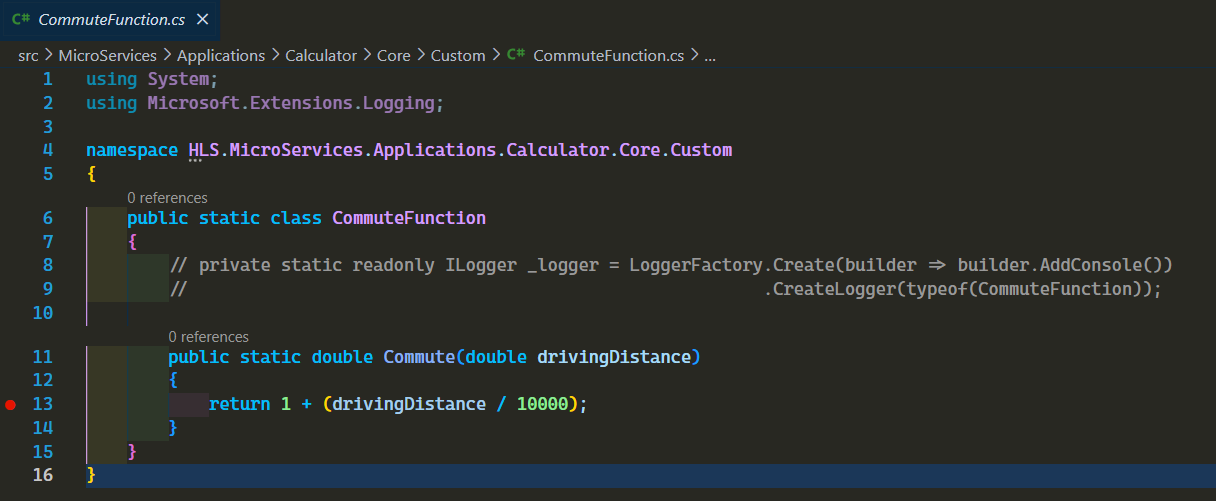
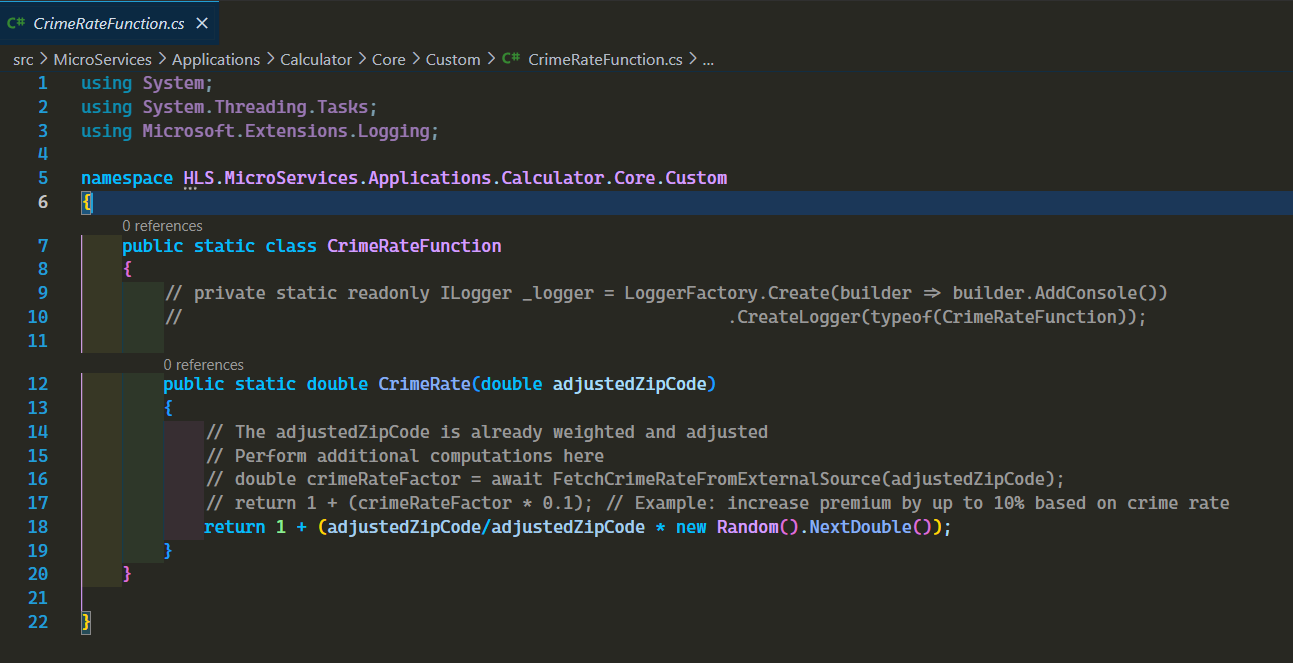
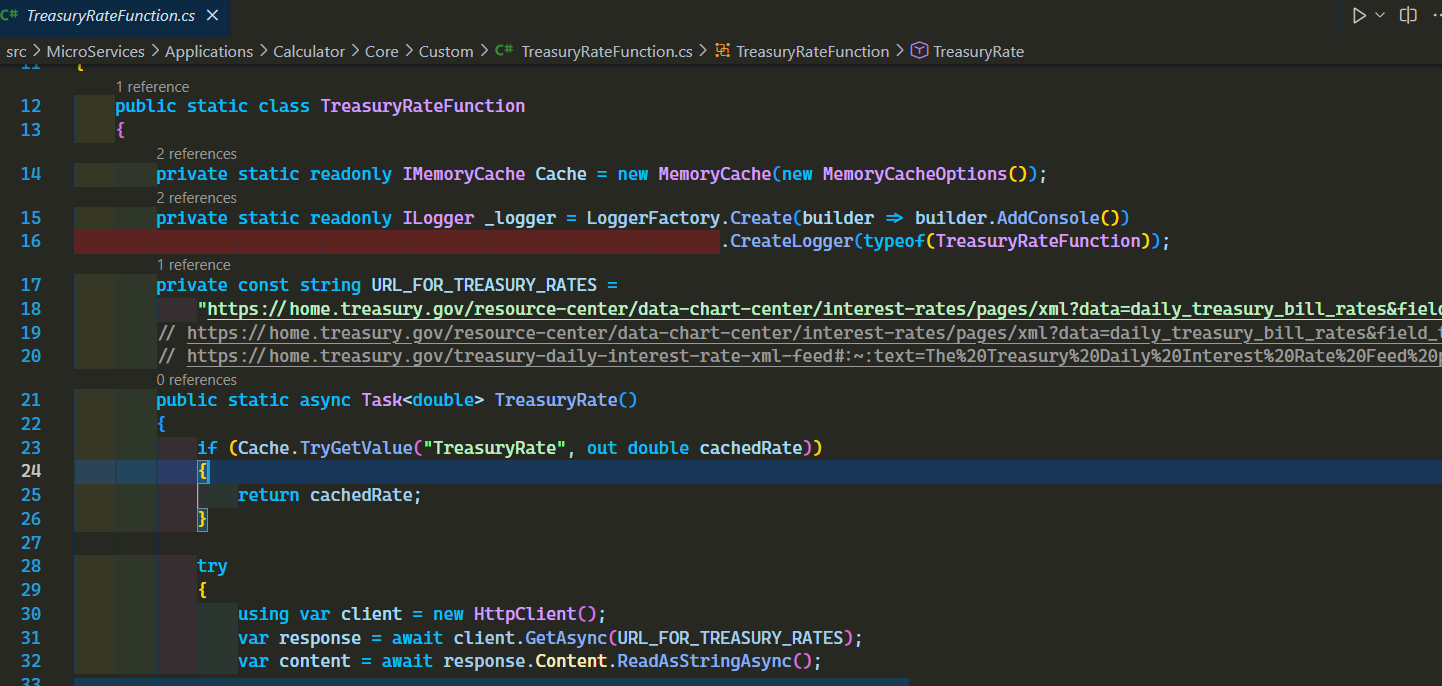
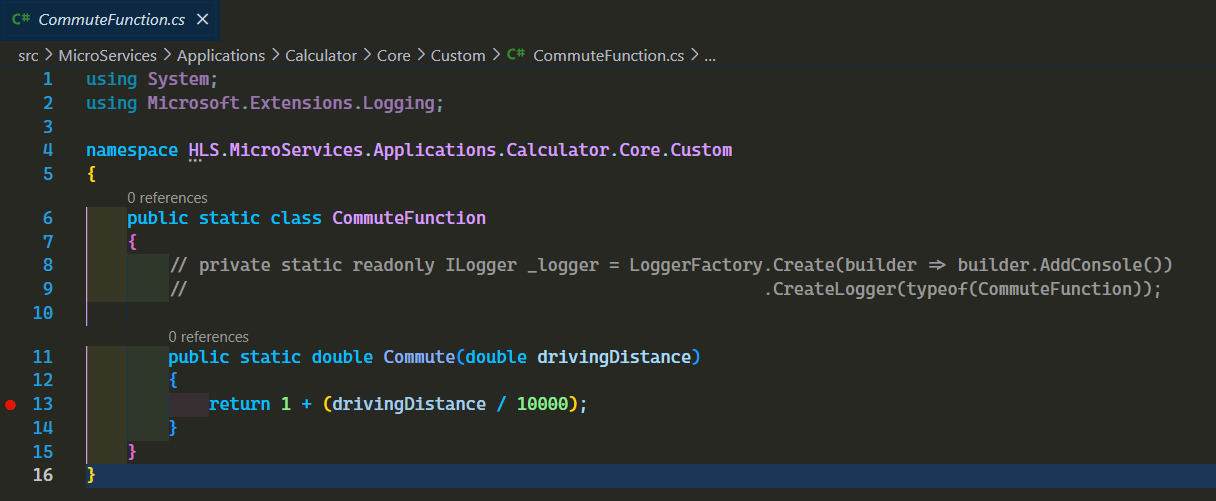
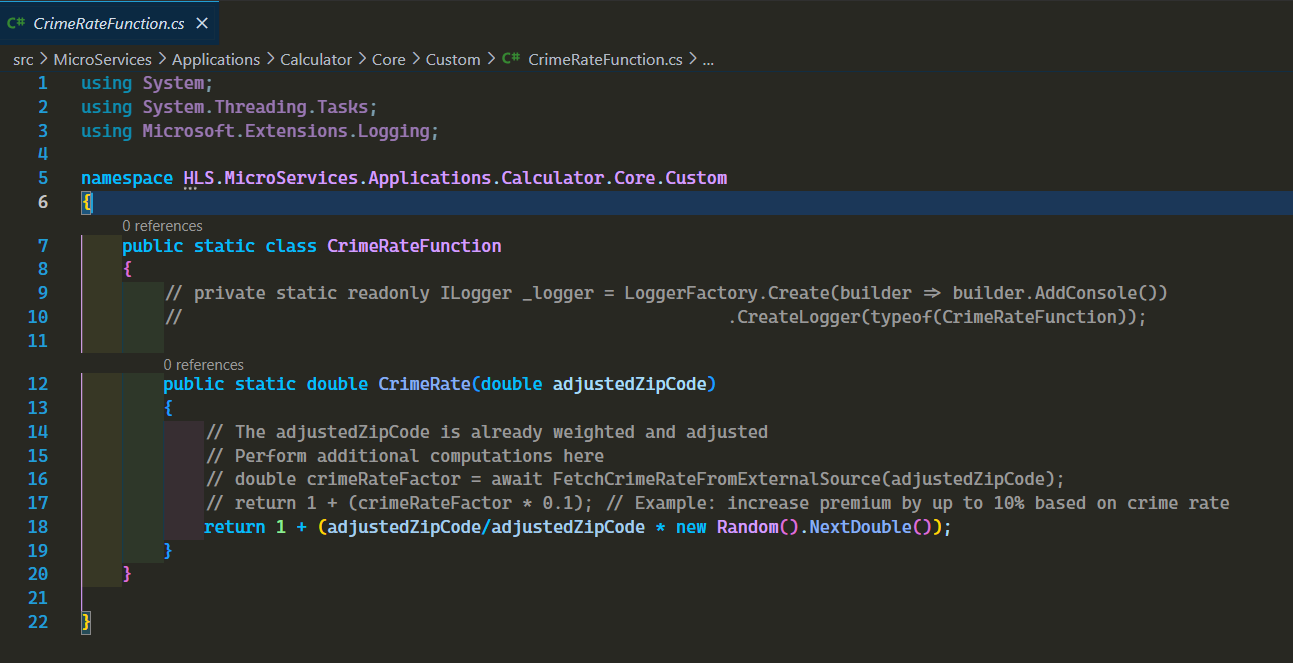
TreasuryRateFunction– No inputs; returns the average treasury rate for 2024CommuteFunction– Takes driving distance and applies a custom formulaCrimeRateFunction– Accepts a ZIP code, applies some math, and returns a value
In the video above we are first demonstrating the baseline test that we always do, then add the meta data to mongodb collection, copy over the prebuilt AQIZipCodesFunction.cs from a location to the “Custom” folder, recompile and restart the api.
At the end of the video we are also showing other custom functions we have used to demonstrate different type of custom functions that are allowed.
TreasuryRateFunction: It takes no parameter and returns an average for year 2024. Here you can see the value is cached and used in subsequent calls.
CommuteFunction: It takes driving distance as input and does a math operation before returning value.
CrimeRateFunction: It takes a zipcode and performs an math operation before returning value.
What Else Would You Like to See?
Do you have a scenario in mind where you’d like to see if a custom function can be implemented without changing the core code of the engine?
Let us know in the comments, we’d be happy to explore it in a future demo.
Thanks for following along.